Input
The input classes provide access to keyboard input from the terminal. They are designed for interactive applications such as dashboards, tools, and terminal games that need immediate key handling.
Usage
Polling for Keys in a Redraw Loop
For interactive applications, switch the input backend to key mode and poll for input with a timeout. This allows your application to update the screen regularly while still reacting to keyboard events.
using namespace std::chrono_literals;

terminal.input().setMode(Input::Mode::Key);
auto quitRequested = false;

while (!quitRequested) {
    if (const auto key = terminal.input().readKey(90ms); key.valid()) {
        if (key == U'q') {
            quitRequested = true;
        } else if (key == Key::Left) {
            // Move selection.
        }
    }
}
Using a timeout keeps the redraw loop responsive without busy waiting.
In key mode, readKey(0ms) and any negative timeout perform a non-blocking poll.
Use waitForKey() when you intentionally want to block until the next key arrives.
The older read() wrapper is deprecated and now forwards to either readKey() or waitForKey().
Switching Between Key and Line Input
Input::Mode controls whether the terminal reads raw key presses or
full lines of text. Mode::Key is the right choice for interactive
applications with a redraw loop, while Mode::ReadLine fits prompts,
configuration tools, and simple command-driven interfaces.
terminal.input().setMode(Input::Mode::ReadLine);
terminal.print("Name: ");
const auto name = terminal.input().readLine();

terminal.input().setMode(Input::Mode::Key);
terminal.printLine("Press any key to continue...");
const auto key = terminal.input().waitForKey();
Switching modes on the same terminal makes it easy to combine menu-driven screens with occasional free-form text input.
Describing Key Bindings
InputDefinition represents a key binding together with the input
mode it applies to. It is useful when describing configurable shortcuts
or when displaying the currently active bindings.
auto quitKey = InputDefinition{Key{Key::Character, U'q'}, InputDefinition::ForMode::Key};
auto helpKey = InputDefinition{Key{Key::F1}, InputDefinition::ForMode::Key};

std::cout << "Quit: " << quitKey.toDisplayText() << "\n";
std::cout << "Help: " << helpKey.toString() << "\n";
The helper functions toDisplayText() and toString() make it easy
to present key bindings in help screens or configuration output.
For interactive tools with one command bound to several keys, use
Keys. It stores unique key presses in
priority order, can test whether a decoded key is part of the set, and
can separate main keys from alternatives for compact and detailed help.
Special keys may carry modifiers such as shift+up, ctrl+pageup,
or alt+f4. Modified keys are distinct from their unmodified base key,
so a binding for up does not also match shift+up. Printable text
input remains text input: pressing Shift with a letter produces the
resulting character, for example Q.
Matching Decoded Key Types
When you only care about the general kind of a key event, inspect
Key::Type instead of comparing against a long list of individual keys.
For character comparisons, prefer Unicode code points such as U'q' and
use Key::unicode() or
Key::combined() instead of the deprecated ASCII accessor.
Character comparisons match the exact decoded code point, so compare against the exact character you want to handle.
using namespace std::chrono_literals;

if (const auto key = terminal.input().readKey(50ms); key.valid()) {
    if (key.type() == Key::Character || key.type() == Key::Combined) {
        terminal.printLine("Typed: ", String{key.combined()});
    } else if (key.type() == Key::Escape) {
        terminal.printLine("Leaving key mode.");
    }
}
This is especially handy when the application wants to distinguish between text entry, navigation keys, and control keys before it decides how to handle the event.
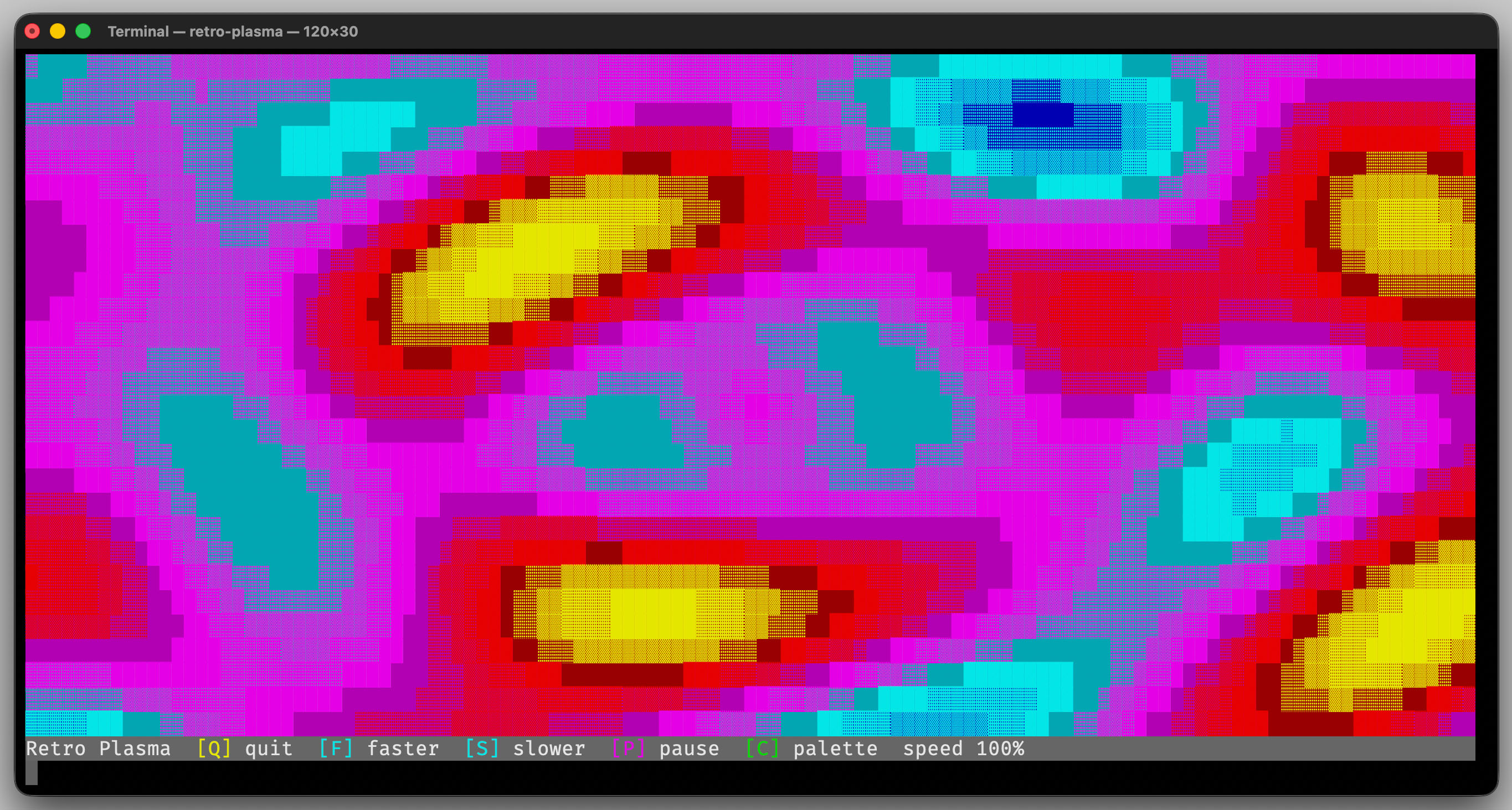
The animated demos use Input in key mode so screen redraws and
keyboard handling remain responsive.
Interface
-
class Input
The input interface.
Subclassed by erbsland::cterm::impl::InputBackend
Public Types
Public Functions
-
virtual ~Input() = default
Destroy the input object.
-
virtual void setMode(Mode mode) = 0
Set the current reading mode.
- Parameters:
mode – The new input mode.
-
inline Key readKey(std::chrono::milliseconds timeout = {}) const
Read one key event without blocking longer than the given timeout.
In
Mode::Key, any timeout less than or equal to zero is normalized to zero and performs a non-blocking poll. InMode::ReadLine, the timeout is ignored and this call behaves like a blocking line read converted intoKey.- Parameters:
timeout – Maximum wait time in
Mode::Key.- Returns:
The parsed key event, or an invalid key if no supported input was read before the timeout expired.
-
inline Key waitForKey() const
Wait until one key event is available.
In
Mode::ReadLine, this call blocks until one line was entered and returns the converted key.- Returns:
The parsed key event.
-
inline Key read(const std::chrono::milliseconds timeout = {}) const
Deprecated wrapper for
readKey().In
Mode::Key, any timeout less than or equal to zero performs a blocking call.- Parameters:
timeout – Maximum wait time in
Mode::Key.- Returns:
The parsed key event, or an invalid key if no supported input was read before the timeout expired.
-
virtual std::string readLine() = 0
Read a line of text from the terminal.
-
virtual ~Input() = default
-
class InputDefinition
Definition of a single key mapping for a specific input mode.
Public Types
Public Functions
-
InputDefinition() = default
Create an invalid input definition.
-
InputDefinition(Key keyPress, ForMode forMode) noexcept
Create a definition for the given key and input mode.
- Parameters:
keyPress – The key to match.
forMode – The input mode in which the definition is valid.
-
inline bool valid() const noexcept
Check whether this definition contains a valid key press.
-
std::string toString() const
Convert the key definition to its configuration text.
The serialized configuration text includes the optional mode prefix.
- Returns:
The serialized configuration text.
-
std::string toDisplayText(bool useBrackets = true) const
Return a display label for prompts and help texts.
- Parameters:
useBrackets – If
true, wrap the text in[and].- Returns:
A human-readable key label.
-
inline std::string displayText() const
Compatibility wrapper for older code that used
displayText().- Returns:
A human-readable key label with stylized brackets.
Public Static Functions
-
static InputDefinition fromString(std::string text) noexcept
Parse the textual representation of a key definition.
- Parameters:
text – The configuration text, optionally prefixed with
>or+for the input mode.- Returns:
The parsed input definition.
-
InputDefinition() = default
-
using erbsland::cterm::InputDefinitionList = std::vector<InputDefinition>
A list of input definitions.
-
class Key
A simple representation of a key press.
Supports Unicode text input and common special keys.
Public Types
-
enum Type
Supported key kinds.
Values:
-
enumerator None
No supported key was decoded.
-
enumerator Character
A single Unicode code point.
-
enumerator Combined
Multiple code points that form one combined text input.
-
enumerator Enter
The Enter/Return key.
-
enumerator Tab
The tab key.
-
enumerator BackTab
Reverse tab / Shift+Tab.
-
enumerator Space
The space key.
-
enumerator Escape
The escape key.
-
enumerator Backspace
The backspace key.
-
enumerator Insert
The insert key.
-
enumerator Delete
The delete key.
-
enumerator Home
The home key.
-
enumerator End
The end key.
-
enumerator PageUp
The page up key.
-
enumerator PageDown
The page down key.
-
enumerator Left
The left cursor key.
-
enumerator Right
The right cursor key.
-
enumerator Up
The up cursor key.
-
enumerator Down
The down cursor key.
-
enumerator F1
The function key F1.
-
enumerator F2
The function key F2.
-
enumerator F3
The function key F3.
-
enumerator F4
The function key F4.
-
enumerator F5
The function key F5.
-
enumerator F6
The function key F6.
-
enumerator F7
The function key F7.
-
enumerator F8
The function key F8.
-
enumerator F9
The function key F9.
-
enumerator F10
The function key F10.
-
enumerator F11
The function key F11.
-
enumerator F12
The function key F12.
-
enumerator None
Public Functions
-
Key() = default
Create an invalid key.
-
Key(Type type, char32_t codePoint = 0, KeyModifiers modifiers = {}) noexcept
Create a key with an explicit type and optional Unicode payload.
- Parameters:
type – The key type.
codePoint – The Unicode value for
Type::Character.modifiers – The modifiers pressed together with this key.
-
Key(Type type, KeyModifiers modifiers) noexcept
Create a special key with modifiers.
- Parameters:
type – The key type.
modifiers – The modifiers pressed together with this key.
-
Key(char32_t codePoint, KeyModifiers modifiers = {}) noexcept
Create a single-code-point character key.
- Parameters:
codePoint – The Unicode code point.
modifiers – The modifiers pressed together with this key.
-
Key(Type type, std::u32string_view character, KeyModifiers modifiers = {})
Create a key with an explicit combined Unicode payload.
- Parameters:
type – The key type.
character – The combined Unicode text for
Type::CharacterorType::Combined.modifiers – The modifiers pressed together with this key.
- Throws:
std::invalid_argument – If
characteris not a supported Unicode character sequence.
-
bool operator==(char32_t other) const noexcept
Compare against a single code point.
-
bool operator==(std::u32string_view other) const noexcept
Compare against a combined key This requires
type()==Combinedandcombined()==other.
-
bool operator==(Type type) const noexcept
Compare against a special key.
This requires
type()==typeandtype!=Character|Combined.
-
inline const KeyModifiers &modifiers() const noexcept
Get the modifiers pressed together with this key.
-
inline bool hasModifier(KeyModifier modifier) const noexcept
Test if a modifier is set.
-
char character() const noexcept
Legacy ASCII accessor for
Type::Character.- Deprecated:
Use
unicode()orcombined()to support full Unicode input.
- Returns:
The ASCII character for single-code-point character input, otherwise
0.
-
char32_t unicode() const noexcept
Get the Unicode code point for
Type::Character.- Returns:
The single Unicode code point, or
0if this key does not store exactly one code point.
-
std::u32string combined() const
Get the full combined Unicode payload for character input.
- Returns:
The stored Unicode text, or an empty string for non-character keys.
-
inline bool valid() const noexcept
Test if this object represents a supported key.
-
inline constexpr std::size_t hash() const noexcept
Get a hash for this key.
-
std::string toString() const
Convert the key to configuration text.
- Returns:
The canonical textual key name.
-
std::string toDisplayText(bool useBrackets = true) const
Convert the key to human-readable display text.
- Parameters:
useBrackets – If
true, wrap the text in[and].- Returns:
The display text for prompts and help texts.
Public Static Functions
-
static Key fromString(std::string text) noexcept
Decode a key from the configuration text.
- Parameters:
text – The textual key name.
- Returns:
The decoded key, or
Type::Noneif the text is unsupported.
-
static Key fromConsoleInput(const std::string &text) noexcept
Decode a key from console input text.
- Parameters:
text – The input text or escape sequence.
- Returns:
The decoded key, or
Type::Noneif the input is unsupported.
-
enum Type
-
class KeyModifiers
A set of key modifiers.
Public Types
-
using Mask = uint8_t
Unsigned storage type used for the combined modifier bits.
-
using Enum = KeyModifier
The enum type combined by this modifier set.
Public Functions
-
template<typename ...Modifiers>
inline constexpr KeyModifiers(Modifiers... modifiers) Create a combined set of modifiers.
-
inline KeyModifiers operator|(const KeyModifier modifier) const
Combine this modifier set with one additional modifier.
- Parameters:
modifier – The modifier to add.
- Returns:
The combined modifier set.
-
inline constexpr bool empty() const noexcept
Test if this modifier set is empty.
-
inline constexpr bool has(const KeyModifier modifier) const noexcept
Test if a modifier is set.
-
inline void set(const KeyModifier modifier, const bool enabled = true) noexcept
Set a modifier.
-
inline void clear(const KeyModifier modifier) noexcept
Clear a modifier.
Friends
-
inline friend KeyModifiers operator|(const KeyModifier modifier, const KeyModifiers modifiers)
Combine one modifier with an existing modifier set.
- Parameters:
modifier – The modifier to add.
modifiers – The existing modifier set.
- Returns:
The combined modifier set.
-
inline friend KeyModifiers operator|(const KeyModifiers modifiers1, const KeyModifiers modifiers2)
Combine two modifier sets.
- Parameters:
modifiers1 – The first modifier set.
modifiers2 – The second modifier set.
- Returns:
The combined modifier set.
-
using Mask = uint8_t
-
class Keys
An ordered set of unique key presses for key bindings.
Public Functions
-
Keys() = default
Create an empty key set.
-
Keys(Key::Type keyType)
Create a key set with one special key.
- Parameters:
keyType – The special key type to add.
-
Keys(char32_t character)
Create a key set with one character key.
- Parameters:
character – The character key to add.
-
Keys(std::initializer_list<Key> keys)
Create a key set from a list of keys.
- Parameters:
keys – The keys to add in priority order.
-
Keys(std::vector<Key> keys)
Create a key set from a vector of keys.
- Parameters:
keys – The keys to add in priority order.
-
inline bool empty() const noexcept
Test if this key set is empty.
-
inline std::size_t size() const noexcept
Get the number of keys.
-
inline const Container &keys() const noexcept
Get all keys in priority order.
-
std::size_t mainKeyCount() const noexcept
Get the number of main keys.
-
std::vector<std::string> mainKeyLabels() const
Get all key labels for the main keys.
-
Keys &setKeys(std::vector<Key> keys)
Replace all keys.
- Parameters:
keys – The keys to add in priority order.
- Returns:
This object.
-
Keys &setKeys(std::initializer_list<Key> keys)
Replace all keys.
- Parameters:
keys – The keys to add in priority order.
- Returns:
This object.
-
Keys &add(Key key)
Add a key if it is not already present.
- Parameters:
key – The key to add.
- Returns:
This object.
-
Keys &add(Key::Type keyType)
Add a special key if it is not already present.
- Parameters:
keyType – The special key type to add.
- Returns:
This object.
-
Keys &add(char32_t character)
Add a character key if it is not already present.
- Parameters:
character – The character key to add.
- Returns:
This object.
-
Keys &clear() noexcept
Clear all keys and reset compact help to show all future keys.
- Returns:
This object.
-
Keys &setMainKeyCount(MainCount mainKeyCount) noexcept
Set how many leading keys are shown in compact help.
- Parameters:
mainKeyCount – The number of leading keys considered main keys.
- Returns:
This object.
-
Keys() = default