Erbsland Color Terminal Library Documentation
The Erbsland Color Terminal library is a small and focused C++20 static library designed for building rich terminal applications.
It provides reliable building blocks for colorful terminal output, Unicode-aware text handling, key-based input, buffer-based rendering, wrapped paragraph layout, rich-text and HTML rendering, and a beta UI framework for structured terminal applications. These layers let you build command-line tools, dashboards, document-like terminal output, and full-screen terminal interfaces without reinventing low-level terminal plumbing.
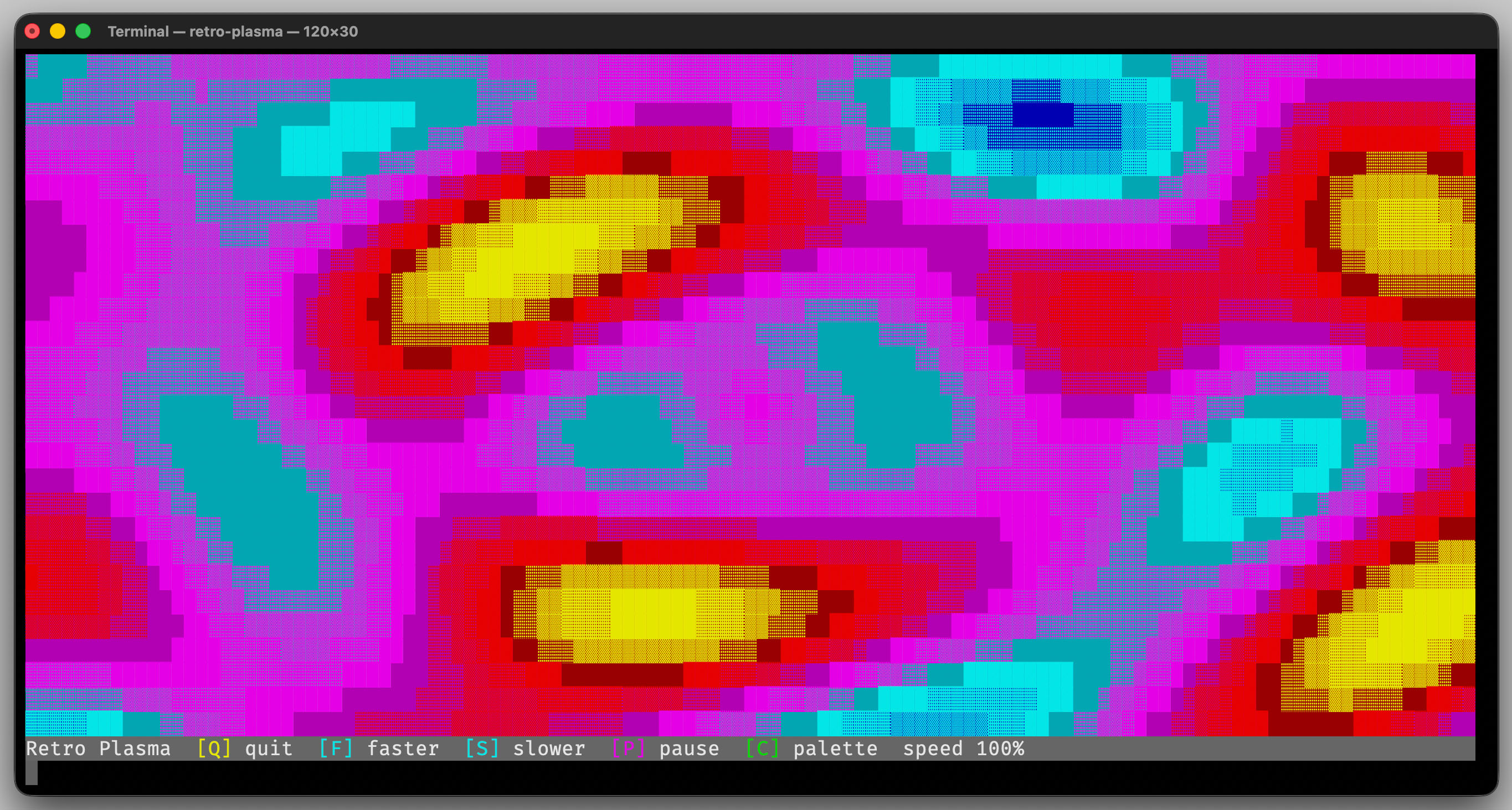
Get Started with the Tutorial →
Topics
Learn how to install the library, integrate it into your application, and run its unit tests.
Start with a compact introduction to the library and build your first terminal program step by step.
Explore the public modules for terminal I/O, buffers, paragraph layout, rich text, and the beta UI framework.
Read contributor-focused notes about backends, scheduling, paragraph layout, remapped buffers, stack layout, and rich-text rendering internals.
Browse the included demo applications with screenshots and notes about the showcased features.
Review the compiler and CMake requirements for using the library, plus the extra tooling requirements for development work.
Track new features, improvements, and breaking changes between releases.
Features
Terminal Foundations
The foundational layer provides portable building blocks for terminal interaction and text handling.
Cross-platform terminal backend for Linux, macOS, and Windows — write once and compile everywhere
Direct control over colors, cursor positioning, and screen management
Automatic terminal detection and initialization
Convenient colored text output using ANSI escape sequences
Optional text-only mode for non-interactive applications
Unicode-aware terminal strings with accurate display-width calculation
Automatic handling of wide and combined Unicode code points
Configurable handling of invalid UTF-8, including strict rejection and deterministic replacement
Interactive key input and traditional line-based input
Geometry utilities for positions, sizes, rectangles, anchors, alignment, margins, and bitmaps
Automatic terminal state restoration on exit, including unexpected exits caused by signals
Rendering, Buffers, and Layout
The rendering layer builds on the terminal primitives to simplify complex screen output and reusable text layout.
Efficient cell buffer classes for preparing terminal output
Automatic back-buffering and delta screen updates
Automatic switching to the alternate screen and restoration on exit
CursorWriterandCursorBufferfor shared streaming output to terminals and scrollback-style buffersRemappedBufferfor efficient row- and column-oriented editing workloadsView system to render sections of buffers on screen
Reusable paragraph layout with wrapping, indentation, tab stops, spacing, wrap markers, and ellipsis handling
Text rendering helpers for alignment, animation, and reusable TextOptions
Frame and rectangle drawing utilities
Character-combination framework for building block-based terminal graphics
Tile-9 fill and tile-16 frame drawing helpers
Custom font support
Bitmap font rendering for large terminal text
Color sequences and animated color effects
Bitmap utilities for generating masks and rendering bitmaps to the screen
Rich Text and HTML
The text layer can render structured terminal documents instead of only plain strings.
HtmlRendererconverts a focused HTML subset into terminal-friendly outputStyle,StyleRule,StyleSelector, andTextNodesupport document-style rendering and customizationHeadings, lists, links, blockquotes, code blocks, and inline formatting can be rendered either into
Stringvalues or directly to anyCursorWriter
Beta UI Framework
The optional UI layer helps you build structured event-driven terminal applications.
ui::Application,ui::Page,ui::Surface, andui::Layoutprovide the core abstractions for full-screen terminal appsBuilt-in
ui::Stack,ui::Panel, andui::TextBoxcover common surface and layout needsui::Actionobjects, schedulers, and event threads support focus-aware input handling, timed actions, and background workThemes centralize UI colors, terminal-cell block shapes, and content margins so applications can switch visual styles without per-widget styling code
Important
The erbsland::cterm::ui framework is currently in beta and parts of the API may change in future
releases.
ANSI Foreground/Background Colors
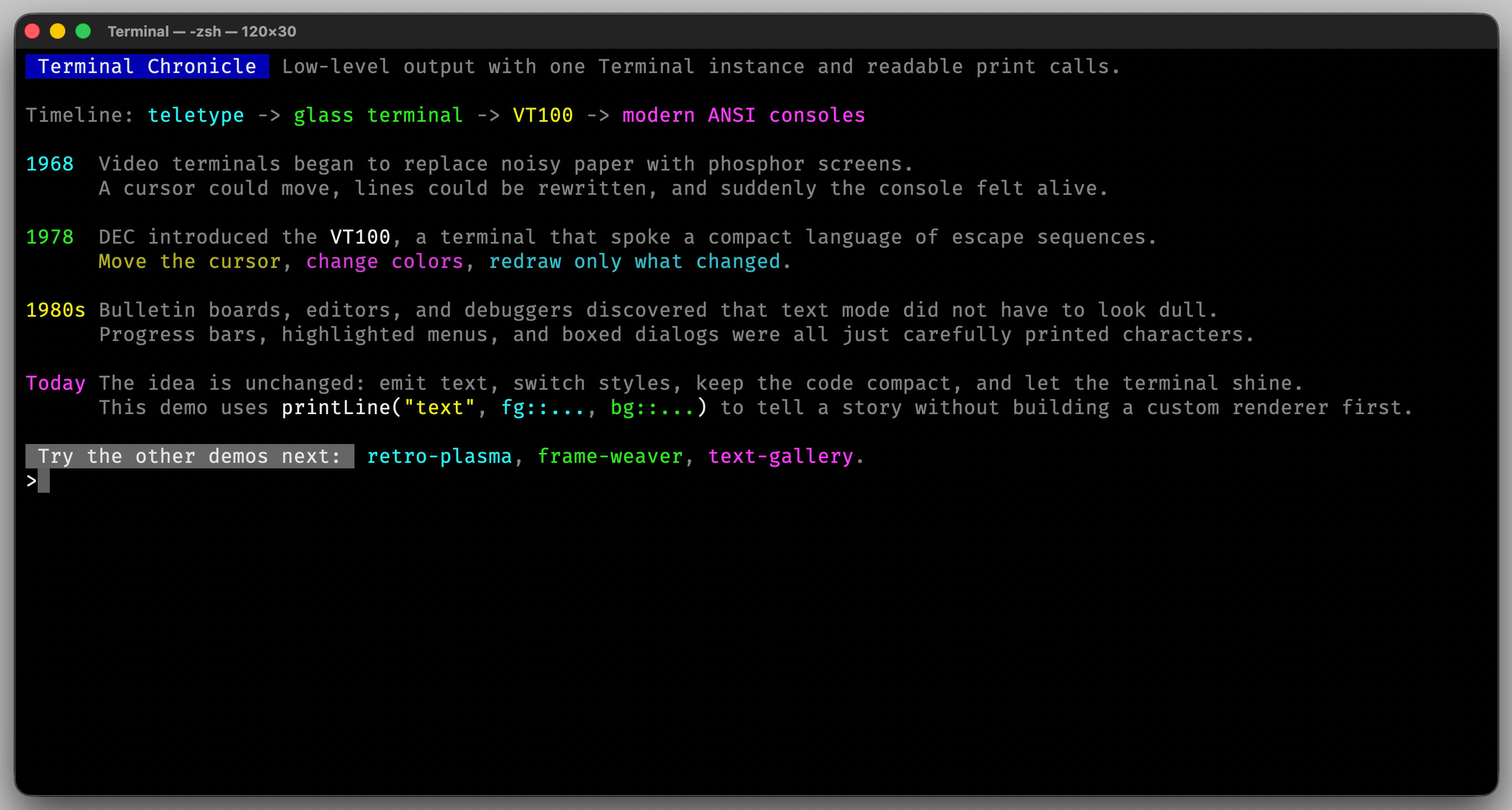
The library provides easy-to-use low-level functionality for colorful, Unicode-aware terminal output.
Convenient print helpers allow you to combine text and colors while keeping your code readable and expressive.
A dedicated String class makes it possible to work with colored text safely. Combined Unicode characters are grouped correctly, and each visible character can have its own foreground and background color.
Handling of Zero-Width and Full-Width Characters
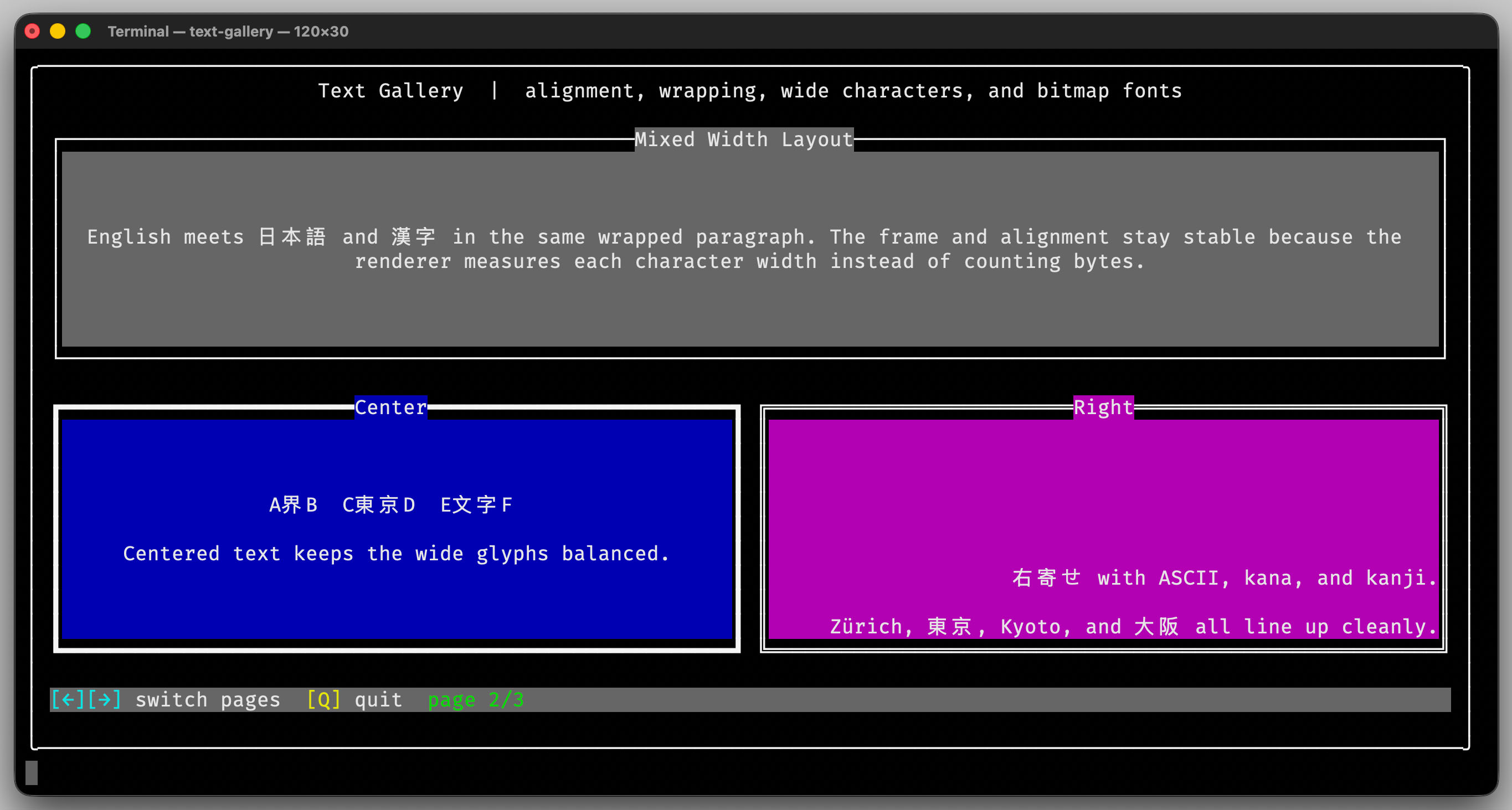
Mixing East Asian full-width characters or combined Unicode characters often breaks terminal layouts.
The Erbsland Color Terminal library correctly calculates the display width of commonly used Unicode character sequences and automatically handles them during text output.
This allows you to mix different scripts and Unicode symbols without breaking the layout of your terminal interface.
Frame and Rectangle Drawing
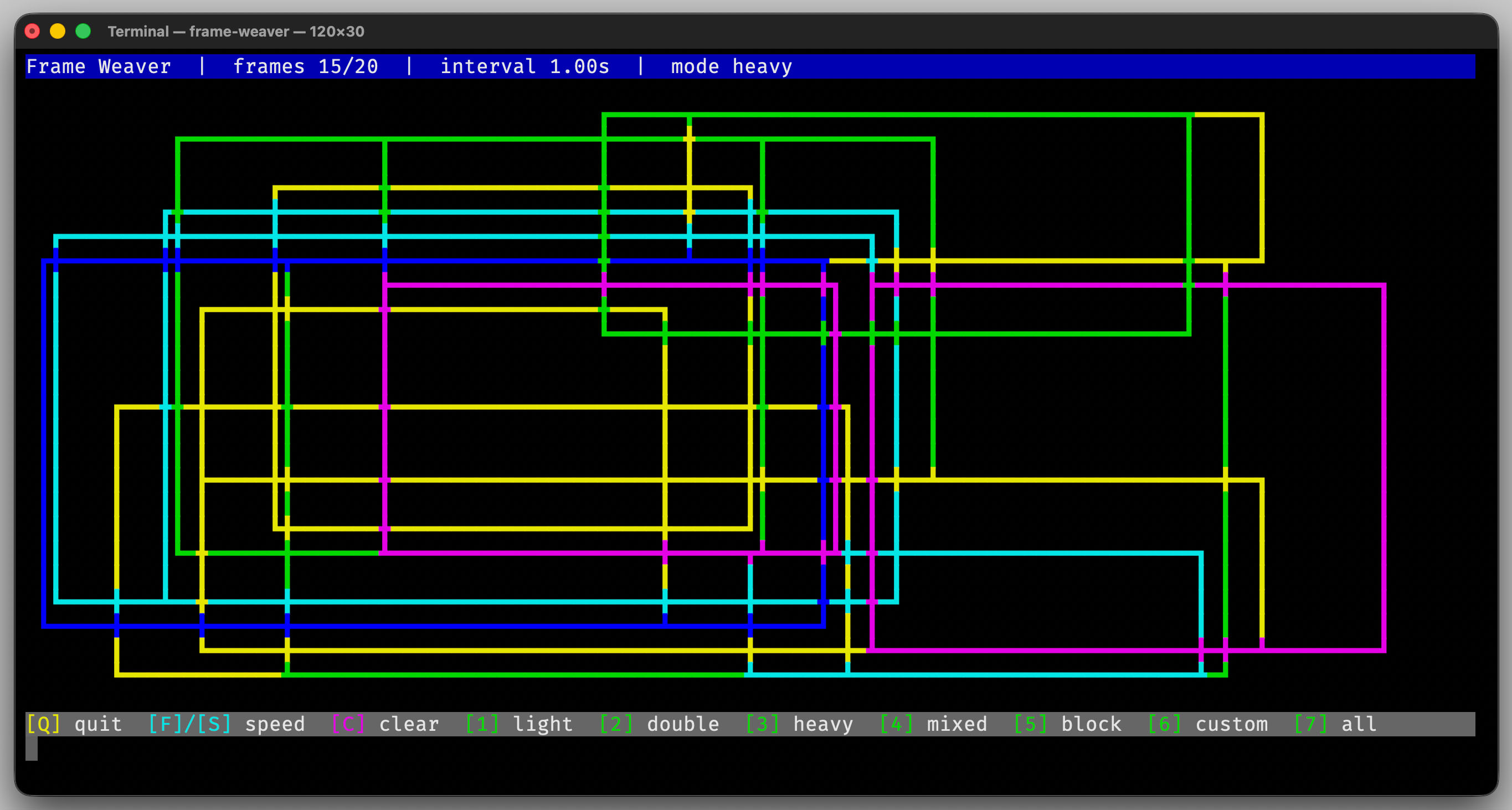
The library includes utilities for drawing frames, rectangles, and lines in various styles.
When lines intersect, the library automatically selects the best matching line characters to produce visually consistent borders.
Text Wrapping and Alignment
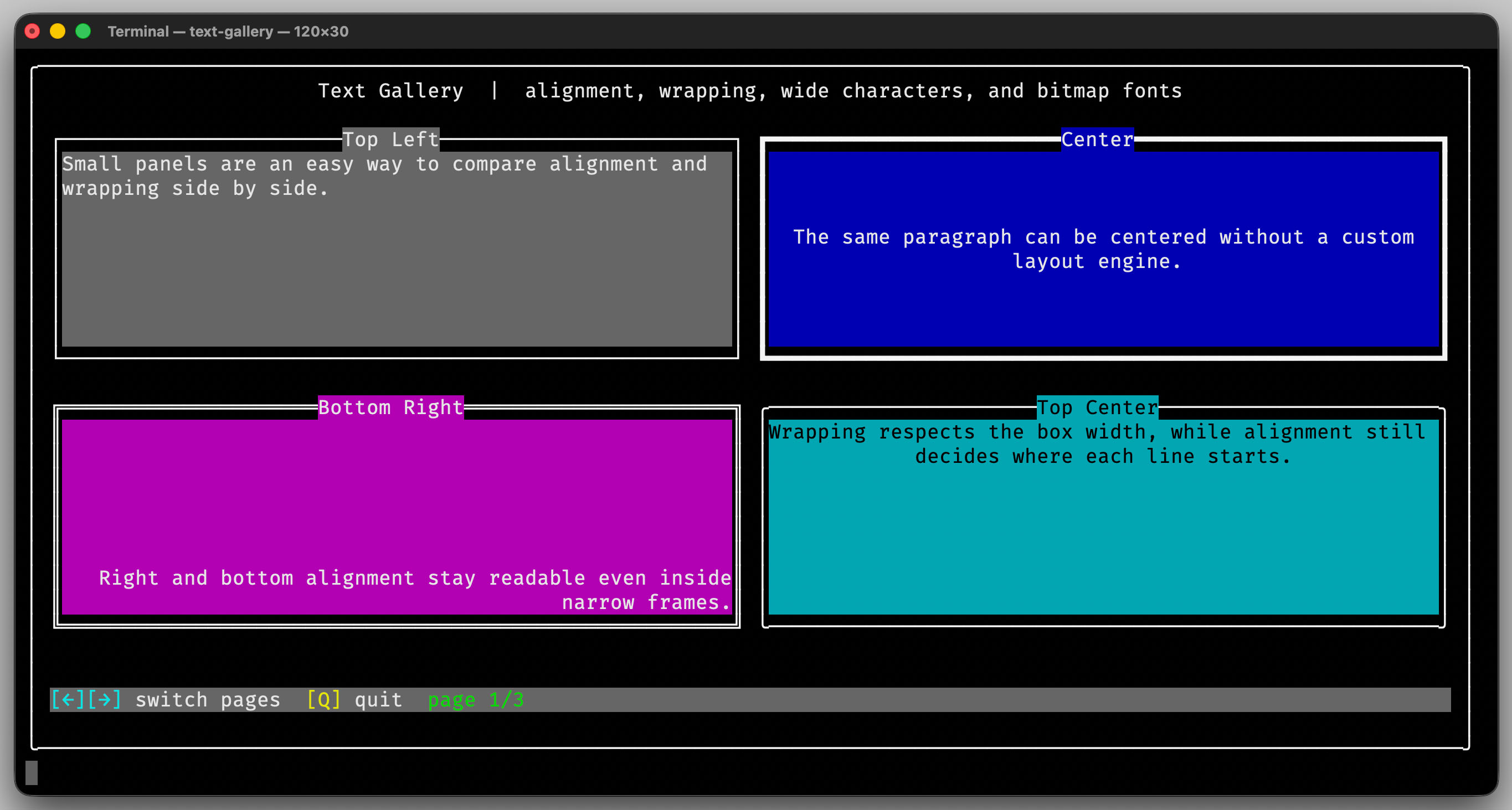
Text wrapping and alignment are integrated directly into the library.
You can easily format text blocks within a defined area, apply alignment rules, and keep layouts stable even when working with Unicode text.
Bitmap Fonts
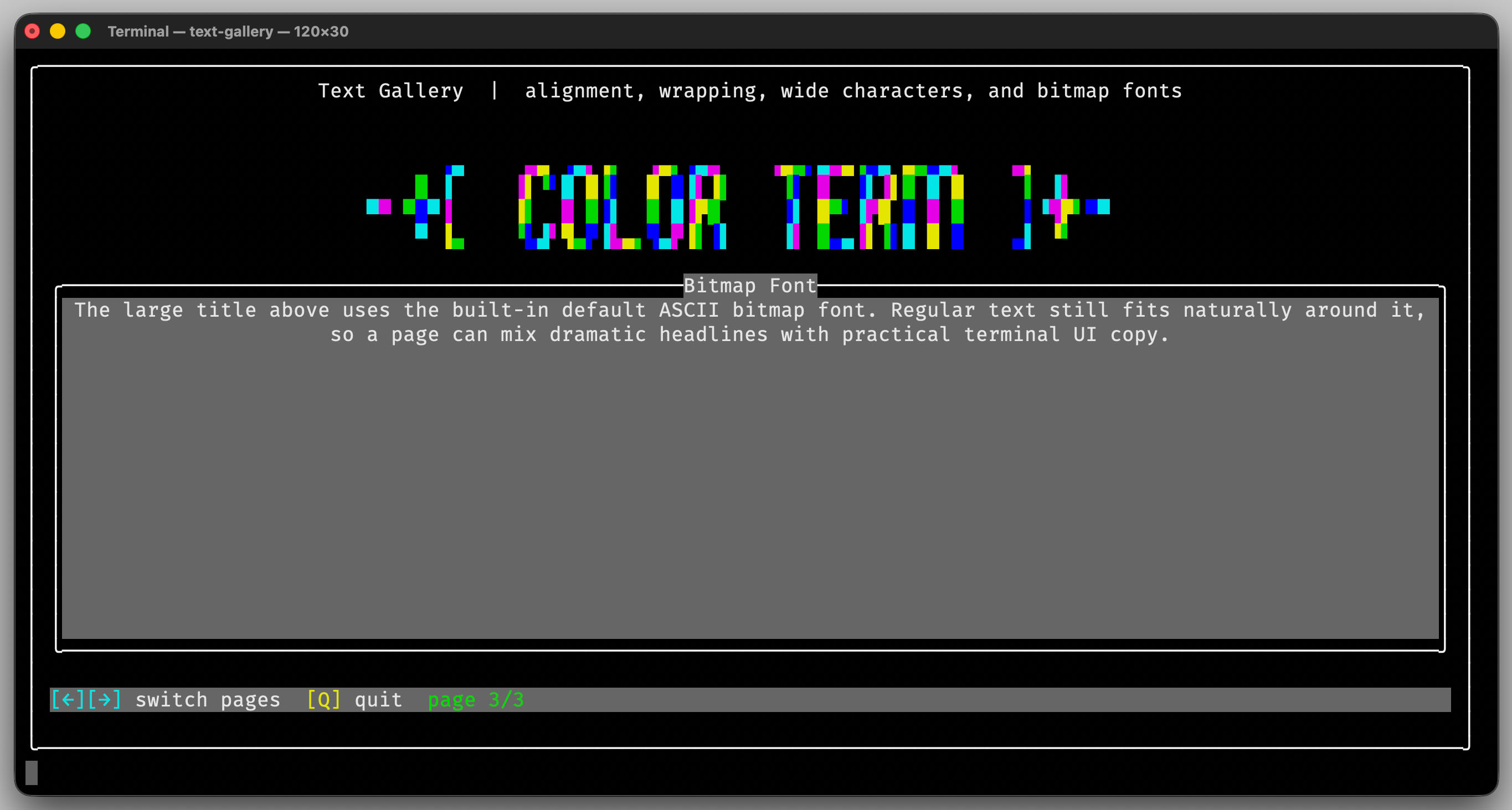
The library can render large bitmap fonts directly in the terminal.
You can use the built-in character set or provide your own custom bitmap font to create banners, headings, or decorative output.
Contents at a Glance
- Getting Started
- Usage
- Reference
- Demos
- Implementation Notes
- Contributing Guidelines
- Requirements
- Changelog
- License