Add Layout, Text, and Fonts
In this step, the simple panel evolves into a small dashboard layout. We introduce multiple framed areas, wrapped text blocks, Unicode content, and an animated bitmap-font headline.
These features demonstrate how the library can be used to build structured terminal interfaces without implementing a custom layout system.
Replace signal-board/src/main.cpp
Update the source file with the following version:
#include <erbsland/cterm/all.hpp>

using namespace erbsland::cterm;

auto main() -> int {
    auto terminal = Terminal{Size{96, 28}};
    terminal.initializeScreen();

    auto buffer = Buffer{terminal.size()};
    buffer.fill(Char{" ", Color{fg::Default, bg::Black}});

    const auto canvas = Rectangle{0, 0, buffer.size().width(), buffer.size().height()};
    const auto titleRect = canvas.subRectangle(Anchor::TopCenter, Size{0, 6}, Margins{1, 2, 0, 2});
    const auto bodyRect = canvas.insetBy(Margins{7, 2, 2, 2});
    const auto leftRect = bodyRect.subRectangle(Anchor::Left, Size{bodyRect.width() / 2 - 1, 0}, Margins{0});
    const auto rightRect = bodyRect.subRectangle(Anchor::Right, Size{bodyRect.width() / 2 - 1, 0}, Margins{0});

    auto title = Text{String{"COLOR TERM"}, titleRect, Alignment::Center};
    title.setFont(Font::defaultAscii());
    title.setColorSequence(ColorSequence{
        {Color{fg::BrightBlue, bg::Black}, 3},
        {Color{fg::BrightCyan, bg::Black}, 3},
        {Color{fg::BrightMagenta, bg::Black}, 3},
        {Color{fg::BrightYellow, bg::Black}, 3},
        {Color{fg::BrightGreen, bg::Black}, 3},
    });
    title.setAnimation(TextAnimation::ColorDiagonal);
    buffer.drawText(title, 12);

    buffer.drawFilledFrame(
        leftRect,
        FrameStyle::LightWithRoundedCorners,
        Char{" ", bg::BrightBlack});
    buffer.drawText(
        "Wrapped Text",
        Rectangle{leftRect.x1() + 2, leftRect.y1(), leftRect.width() - 4, 1},
        Alignment::Center,
        Color{fg::BrightWhite, bg::BrightBlack});
    buffer.drawText(
        "The library wraps text inside rectangles, so panels stay readable without a custom layout engine.",
        Rectangle{leftRect.x1() + 1, leftRect.y1() + 2, leftRect.width() - 2, leftRect.height() - 3},
        Alignment::TopLeft,
        Color{fg::BrightWhite, bg::BrightBlack});

    buffer.drawFilledFrame(
        rightRect,
        FrameStyle::Double,
        Char{" ", bg::Blue});
    buffer.drawText(
        "Unicode Width",
        Rectangle{rightRect.x1() + 2, rightRect.y1(), rightRect.width() - 4, 1},
        Alignment::Center,
        Color{fg::BrightWhite, bg::Blue});
    buffer.drawText(
        "Zürich, café, 東京, 漢字, and ASCII stay aligned because the renderer measures terminal cell width.",
        Rectangle{rightRect.x1() + 1, rightRect.y1() + 2, rightRect.width() - 2, rightRect.height() - 3},
        Alignment::Center,
        Color{fg::BrightWhite, bg::Blue});

    auto settings = UpdateSettings{};
    settings.setSwitchToAlternateBuffer(false);
    terminal.updateScreen(buffer, settings);
    terminal.flush();
    terminal.restoreScreen();
    return 0;
}
Features Introduced in This Step
This version combines several important layout and text-rendering features:
Rectangle::subRectangle()andRectangle::insetBy()help derive smaller layout regions from a larger canvas.Textstores the content together with its layout rectangle, alignment, font, color sequence, and animation settings.Font::defaultAscii()renders large bitmap text directly in the terminal.ColorSequenceandTextAnimationmake animated titles or highlights easy to implement.Wrapped Unicode text remains visually aligned even when mixing characters with different terminal widths.
UpdateSettingscan keep a short-lived rendered example on the main screen by disabling alternate-screen switching.
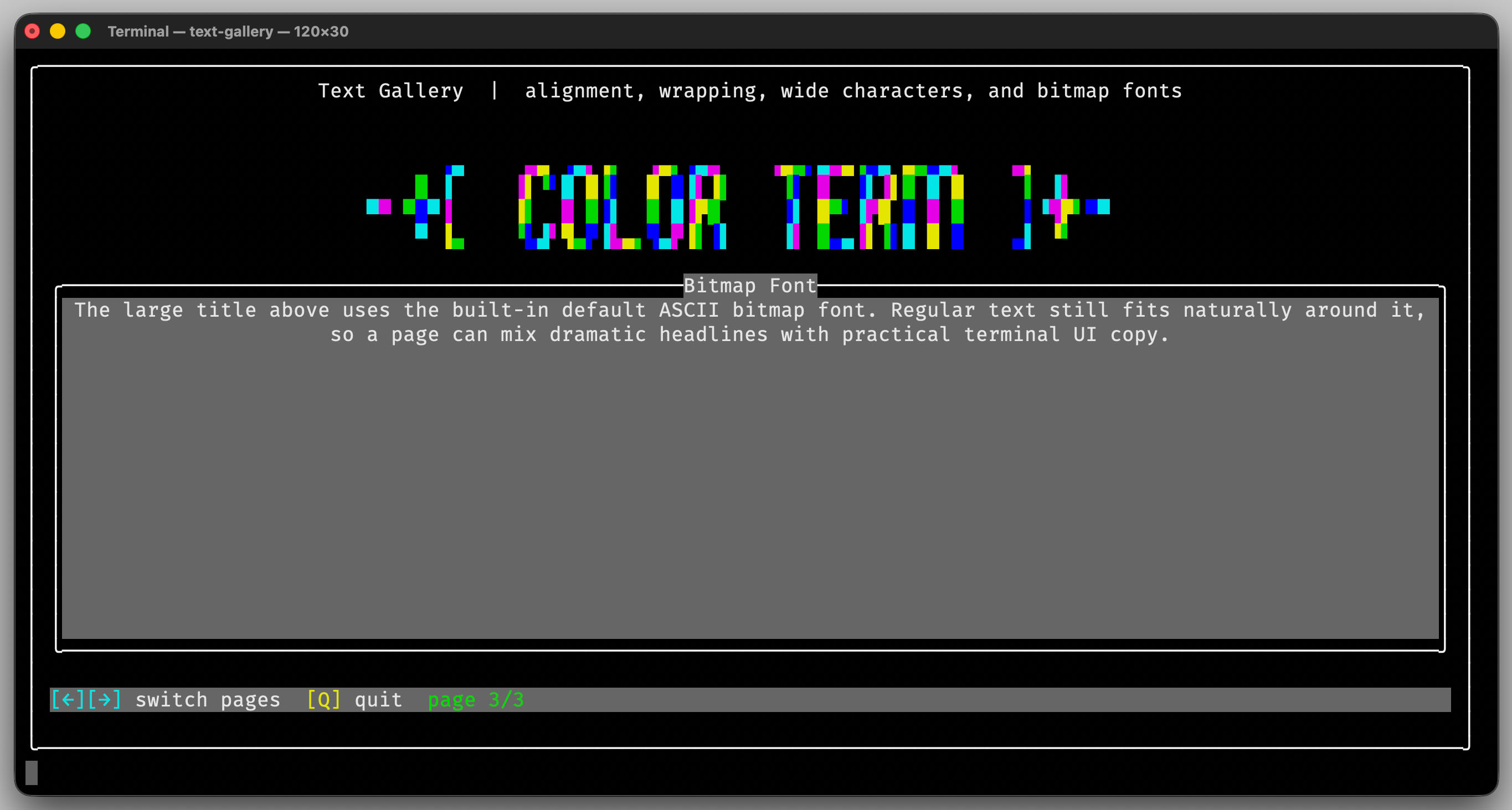
The text-gallery demo expands on the same text, Unicode, and bitmap-font
features used in this step.